Building an N+1 language deck using LLMs, TTS and image generation for Anki
If you're getting started with a language, you could get a premade deck, but there are times when you will want to build one out of your own list. In this article, I will share how you can create an N+1 deck using LLMs, TTS, and image generation. The final code is available here: https://github.com/antoinefink/Japanese-Netflix-1K-deck-builder and the downloadable deck is at https://ankiweb.net/shared/info/1925323165.
What is an N+1 deck? It is a deck where each new card only introduces one new piece of vocabulary. This is especially important in the example sentences. Maybe you have had this experience of having a sentence you want to understand and memorize, but there's more than one item of vocabulary you do not understand within it. So you are forced to memorize the full sentence without knowing which is what. That's not efficient, and n+1 decks address this problem.
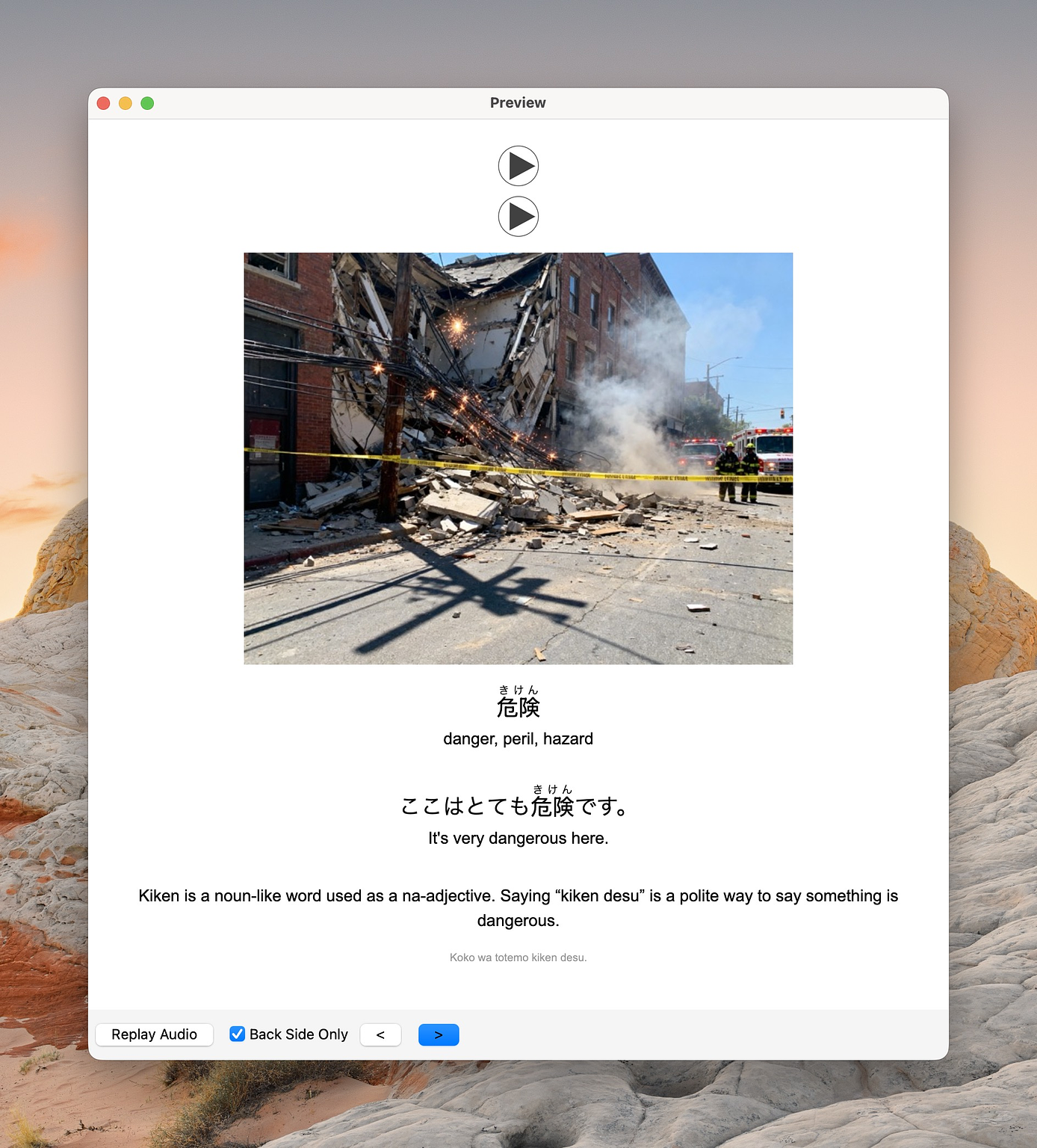
Example flashcard. I do not tend to add any styling, but this can be configured later on.
Generating the flashcards
To make such a deck, the process is actually quite simple. We just need the list, and then we need to generate each flashcard sequentially. For every single flashcard, we will send all of the previous flashcards to the LLM that will be generating the example sentence and ask it to not introduce any new vocabulary (aside from the new flashcard, of course).
The only downside of this approach is cost. Indeed:
Before, we were just giving our new word to the LLM and asking for an example sentence. Now we are sending all the previous flashcards.
Even though that's just a few hundred words at most, I've noticed that LLMs tend to do a bad job at generating the example sentences unless you give them some time to think. This thinking time is a bit costly if you are generating a thousand flashcards.
For one thousand rows, it cost me around $25 (but this is very dependent on the reasoning settings you are using). Considering the amount of time you are supposed to spend on a deck this size, I think that is reasonable, but that's a personal decision you will need to make. Thankfully, as LLMs get better and cheaper this amount is going to quickly decrease.
Another downside is the diversity of example sentences. In my script, I naïvely provide all the words that could potentially be used in the cards. I noticed that the LLM tends to vastly prefer some words over others and tends to write a lot of sentences around coffee or just make them a bit too uninteresting. There's still some progress necessary here.
Generating the images
Humans are visual creatures – Michael Scott
Generating the images is technically straightforward as we just need to send our prompt to an image generation API. The best one seems to change every couple of weeks or months, but at the time of writing this article, I was using Seedream 4.0.
This, however, gets quickly expensive as images often cost a few cents. If you need to generate a thousand (and you often need to redo 20% because of problems in the output), you do not want to have to retry multiple times!
I found that having an LLM first generate the prompt was a lot better than simply sending the example sentence. In particular, it is useful to ask the LLM to make an interesting image that tells a story which vastly improved the output. Nevertheless, the diversity remains a bit poor. You can also use the LLM to craft a prompt that will fix some biases in the image model. For example, I asked for the images to not be too depressing as, in early tries, it felt like I was building a horror deck.
In any case, image generation is still a bit imperfect, and you will notice problems with the output. For example:
I always keep those kinds of mistakes as they are great for retention. But if the output is just broken, then you will need to regenerate.
Also, depending on the model, you might end up with images that are a bit inappropriate. There's a case for having those to boost retention, but that's up to you.
After generating more than a thousand images, my conclusion is that the quality of the output is fantastic and the limitation is currently with the prompts. Indeed, most prompts were uninspired and led to unmemorable images, which is the opposite of what we are looking for in a deck. But when the prompt was actually interesting, the output would be very decent:
Generating TTS
By far the best tool to generate the audio for cards is HyperTTS. This is done later in Anki, and I didn't therefore add any script for it.
We now have a working deck! It can surely be improved, but it's a great starting point. Language learning is one of those areas where the latest improvements in AI are incredibly beneficial. A few years ago, I would have been forced to take one of the few available online decks, but now I only had to find a list online that suits me, and I could generate the rest. Pretty neat!










Comments